Skip to content
How to Check & Redeem Your Reward PointsAus Party2026-06-07T21:22:38+10:00
Learn how to check, redeem, and use your reward points toward event tickets in just a few simple steps.
Check Your Reward Points
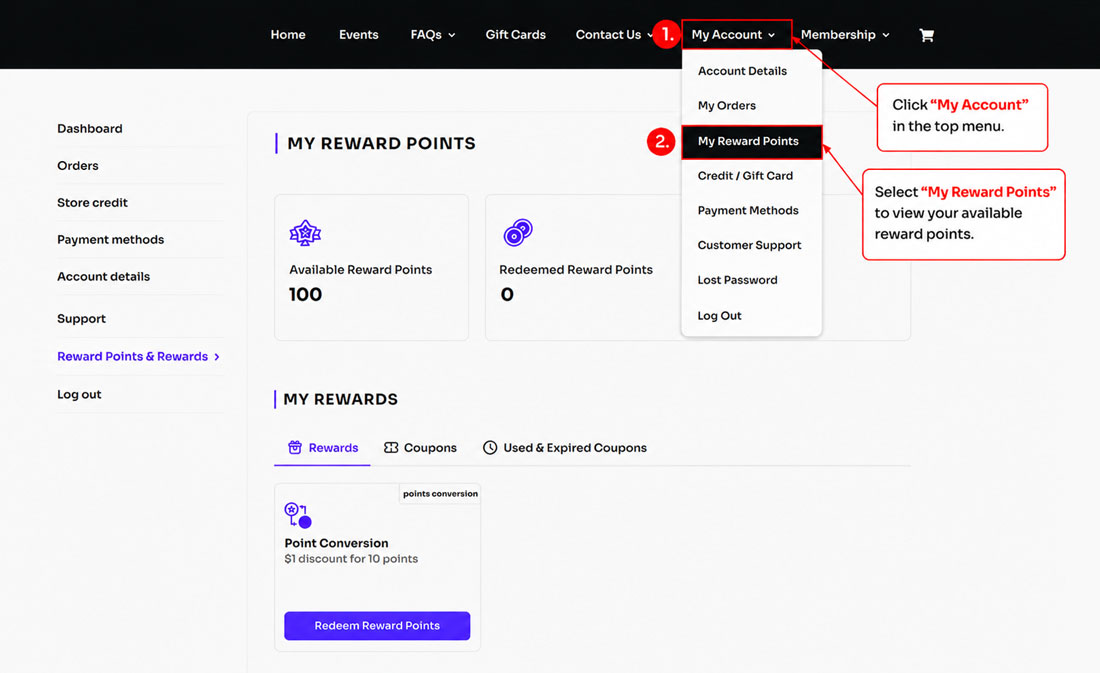
- Click “My Account” in the top menu.
- Select “My Reward Points” to view your available reward points.
Redeem Your Reward Points
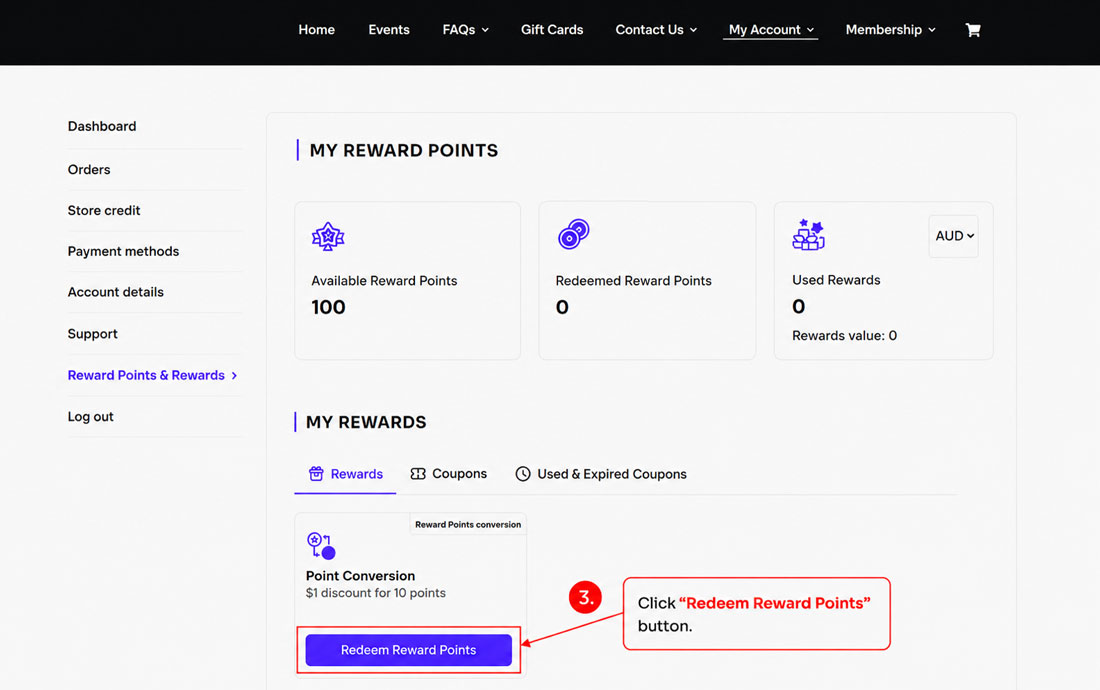
- Click the “Redeem Reward Points” button to start redeeming your reward points.
Choose Your Reward Points
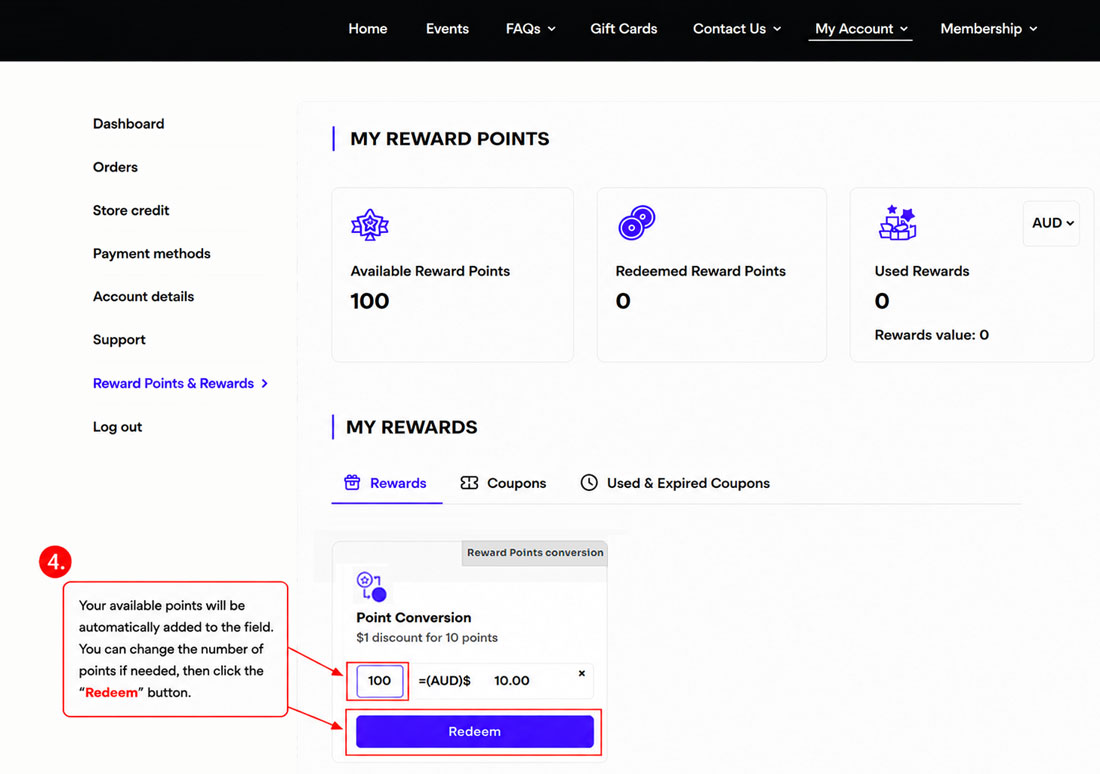
- Your available points will be automatically added to the field.
You can adjust the number of points if needed, then click the “Redeem” button to apply your reward discount.[Note] You can redeem a minimum of 40 points ($4 OFF) and a maximum of 200 points ($20 OFF) per transaction.
Apply Your Reward Coupon
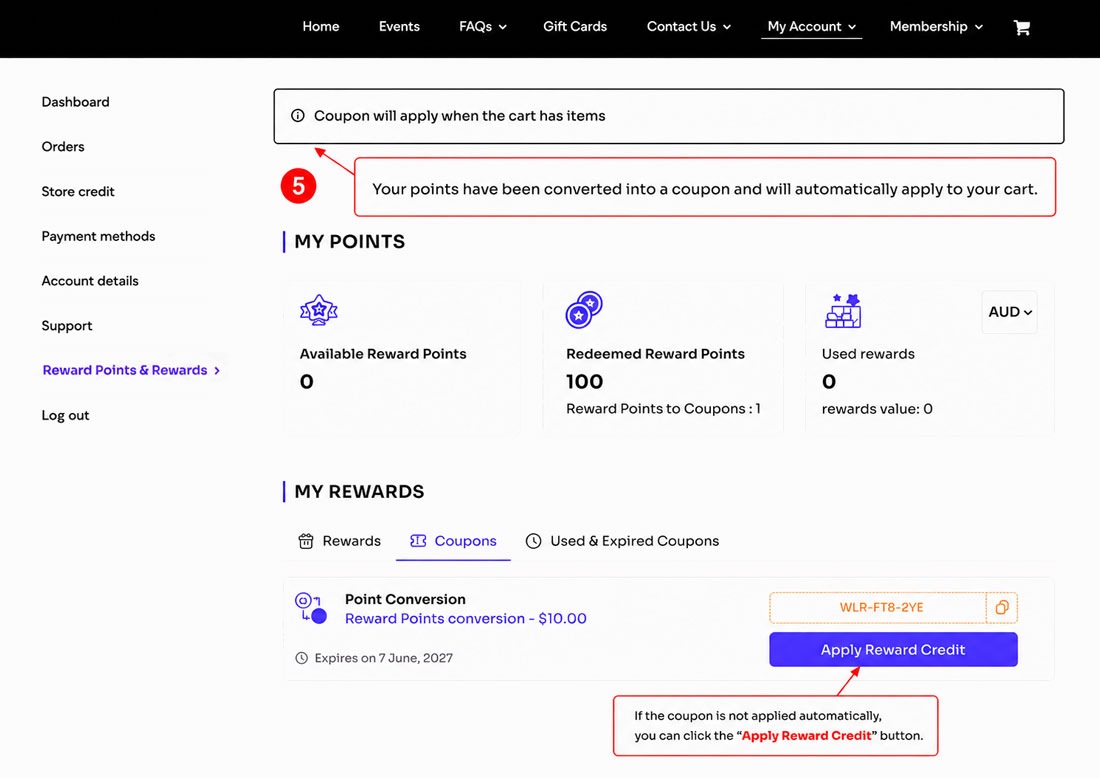
- Your reward points have been converted into a coupon and will automatically apply to your cart. If the coupon is not applied automatically, you can click the “Apply Reward Credit” button manually.
Your Reward Coupon Has Been Applied
- Your points have now been converted into a coupon and will automatically apply to your cart when you add items.

Page load link
